To control the hardware RAID card in the terminal on Intel Xserves with a hardware RAID card, you need to use the terminal command “raidutil”. To see a list of command line options run the following command in a terminal window:
raidutil -h
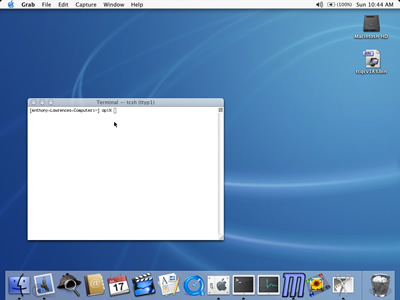
To control the hardware RAID card in the terminal on Intel Xserves with a hardware RAID card, you need to use the terminal command “raidutil”. To see a list of command line options run the following command in a terminal window:
raidutil -h
By default the MacOS X Open Directory debugging log file is disabled. You can temporarily reenable it by running the following command in the Terminal app:
sudo killall -USR1 DirectoryService
After you reboot, debugging will be disabled again. If you want to enable Open Directory debugging so that it stays enabled across reboots, run the following command in the Terminal app:
touch /Library/Preferences/DirectoryService/.DSLogAtStart
To disable debugging again just delete that file:
sudo rm /Library/Preferences/DirectoryService/.DSLogAtStart
The debugging log file is located at:
/Library/Logs/DirectoryService/DirectoryService.debug.log
In Mac OS X 10.4 Tiger some system preferences were unique to a particular computer and so were named using a naming convention that included the MAC address of the first network device in the computer (en0). In Mac OS X 10.5 Leopard this naming convention was changed to use a different unique identifier other than the first network adapter’s MAC address. Leopard now uses something called the UUID for this unique identifier. You can determine a UUID of a Leopard computer by running the terminal command:
ioreg -rd1 -c IOPlatformExpertDevice | grep -E '(UUID)'
This script uses otool -L to determine and print all dynamic library dependencies of a given executable or library file recursively and you use it like this:
$ checklibs.pl /bin/ls
   /bin/ls:
            /usr/lib/libgcc_s.1.dylib
            /usr/lib/libncurses.5.4.dylib
            /usr/lib/libSystem.B.dylib
   /usr/lib/libgcc_s.1.dylib:
            /usr/lib/libSystem.B.dylib
   /usr/lib/libncurses.5.4.dylib:
            /usr/lib/libgcc_s.1.dylib
            /usr/lib/libSystem.B.dylib
   /usr/lib/libSystem.B.dylib:
            /usr/lib/system/libmathCommon.A.dylib
Here’s the script which was written by Marc Liyanage:
#!/usr/bin/perl
#
# Written by Marc Liyanage <http://www.entropy.ch>
# use strict;
use warnings;

my ($file) = @ARGV;
die $! unless (-f $file);

my $libs = {};
check_libs(file => $file, libs => $libs);

print
	map {("\n$_:\n", map {"\t$_\n"} sort {lc($a) cmp lc($b)} @{$libs->{$_}})}
	sort {lc($a) cmp lc($b)}
	grep {@{$libs->{$_}}}
	keys(%$libs);
sub check_libs {
	my (%args) = @_;
	my $libs = $args{libs};
	my @file_libs = grep {$_ ne $args{file}} grep {$_} map {/^\s+(\S+)/} qx(otool -L $args{file});
	$libs->{$args{file}} = \@file_libs;
	foreach my $lib (grep {!$libs->{$_}} @file_libs) {
		unless (-f $lib) {
			$libs->{$lib} = ['(missing)'];
			next;
		}
		check_libs(%args, file => $lib);
	}
}
In case my blog software mangles the code above, you can download the script in a plain text file by clicking here: checklibs.zip