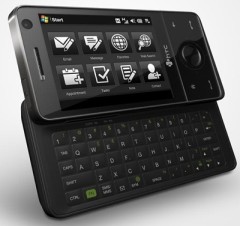
If you need to erase the contents of your AT&T Fuze phone (HTC Touch Pro) in order to put everything back to the factory default settings, do the following:
- Pull out the stylus
- With the device turned on, press and hold the VOLUME DOWN and CENTER buttons, then press the RESET button with the stylus tip.
- Continue pressing the RESET, VOLUME DOWN and CENTER buttons until you see this message on the screen: This operation will delete all your personal data, and reset all settings to manufacturer default. Press VolUp to restore manufacturer default, or press other keys to cancel.
- After seeing the message, press VOLUME UP like it says to confirm the delete request and to start the operation.
This will wipe the entire internal memory of the device and it will also reset it to default settings as it was when you first turned it on. It will not erase your MicroSD card in the phone if present, but it is always a good idea to go ahead and remove it from the phone before you perform this operation.
Thanks!
Worked like a charm on my new and rather useless Fuze with it’s 2 Hr. battery life. Glad to find this tip before I sent it back to Let’s Talk.
This instruction is soooo much better than htcwiki.com. I kept on repeating doing there instructions and the message never pop up. So I decided to keep surfing the net til I find something else different. I happen to find this website and the instruction is so much accurate than the other one. They need to fix it. Anyways, thanks a whole bunch. This site is really useful. I will definitely recommend to my other friends that uses the Fuze.